
Rotating a 3D Pixel Art Camera Without Losing the Pixels
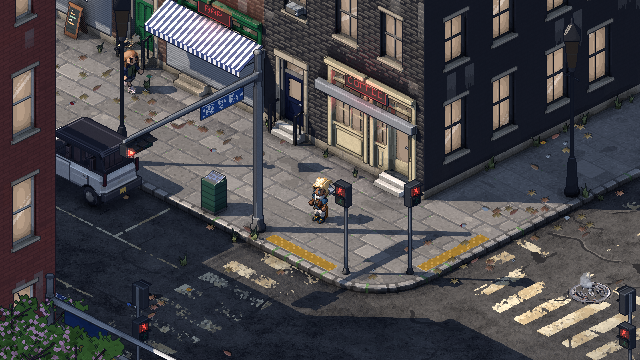 Steps
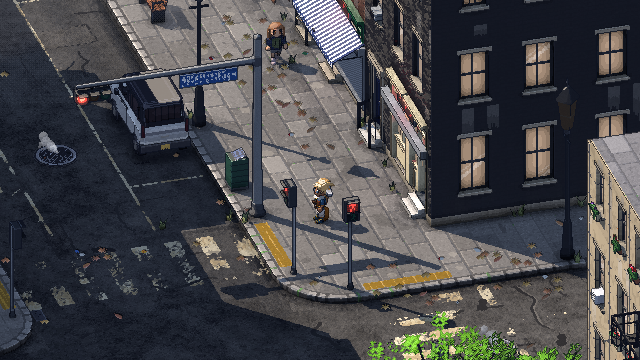 Spin
The camera in Philadelphia Fiefdom now turns all the way round the player and tilts from straight overhead down to street level, on the right stick. It didn't start that way. For most of the project it turned in 45° steps, eight directions in all, because those are the angles where pixel art lines come out clean. This post is about why the steps existed, what happened when I finally tried a free spin, and what keeps the city looking like pixel art while it turns.
In the last post I covered how the city stays on the pixel grid while the camera moves. Turning is the hard case, so it gets its own post.
Why did the camera turn in 45° steps?
Pixel art has a small set of lines that look good: horizontal, vertical, and diagonals with clean steps like 2:1. Anything else gets an uneven staircase, and in a moving image that staircase reshuffles every frame.
So the city is built for the camera. When I lay out Philadelphia's streets, every street runs at a multiple of 45°. Center City's grid is already square; I turn the whole map about 9.5° so it lines up. The camera looks down at 30°, and at that angle a 45° wall comes out as an exact 2:1 line. Stop the camera at any multiple of 45° and every street, wall and curb lands on one of those clean angles. Stop it anywhere else and none of them do.
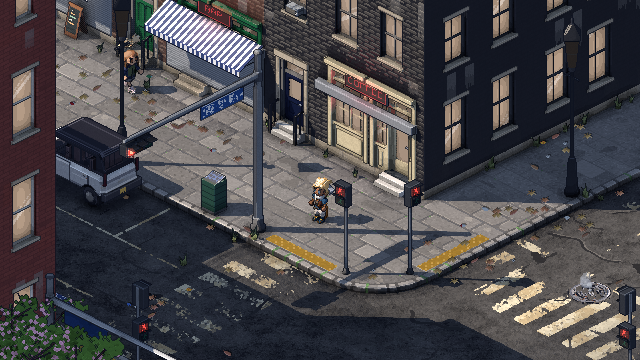
So the camera used to turn only between those eight angles. Each turn took 0.2 seconds with an ease-out: quick enough to feel instant, slow enough to follow where the street went. During those 0.2 seconds the edges shimmered as they rebuilt, then the turn landed and everything was crisp again.
What happened when I tried a free spin?
Everyone who saw the camera turn asked the same thing: can it just spin? I was sure it would fall apart. Every frame between the clean angles has to round every edge somewhere, and those choices flip as the angle changes. So I recorded it: the same street corner with time stopped, so only the camera moves, spun slowly all the way round.
It held up much better than I expected. The edges do shimmer between the clean angles, but the whole picture still snaps to whole pixels, so it reads as pixel art turning, not a smeared 3D render. Once I saw it moving, I wanted to play with it, not watch it. So I put it in the game, and gave it the up-and-down tilt too.
How does the free camera work?
- Turning is on the right stick, all the way round the player, up to 60° a second. It eases in and out instead of starting and stopping dead, so a small push is a slow drift and a full push is a sweep.
- Tilting is the stick's up and down: from straight overhead, down past the usual view, to a low, side-on street-level view (about 12.7°). The tilt slows as it nears either end, so it settles instead of hitting a wall.
- The pixels stay locked. The camera's position still snaps to whole pixels at every angle, and the sub-pixel slide from the last post still smooths the walking. What changes between the clean angles is only how each edge's staircase is stepped.
- The old steps are one button away. D-pad right (Z on the keyboard) switches back to the eight 45° steps, and the camera settles onto the nearest clean angle.
What about the low view?
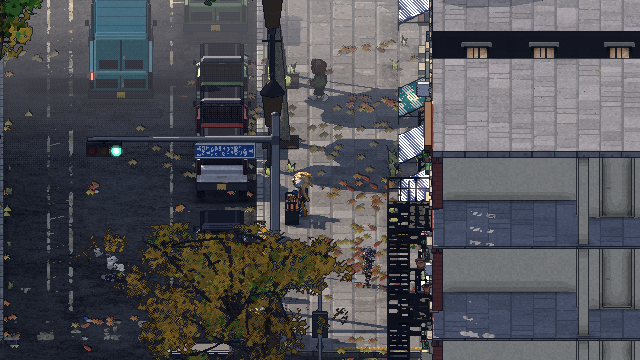
The low, side-on view has its own trick. There a ground texel is 1.4 pixels across, so a one-pixel camera step would draw some texels 1 pixel wide and some 2, and the paving would crawl as you walk. In the stepped camera, the low view moves 7 pixels at a time, exactly 5 texels, so every texel is back on the same pixels after each step.
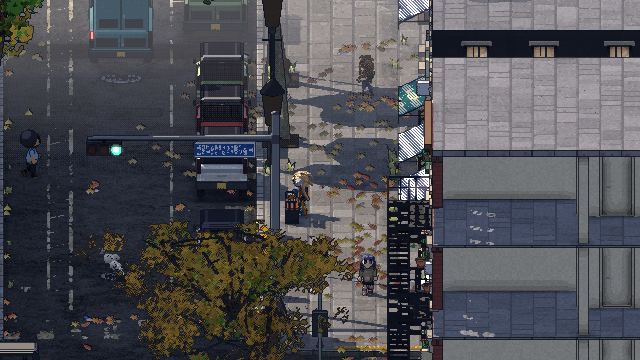 7-pixel step
 1-pixel step
At a free angle that 7-pixel trick doesn't line up anymore, so the free camera steps 1 pixel at a time and you'll see a little crawl down low. It's the next thing I want to solve.
Quick answers
Can you still play with the stepped camera? Yes. D-pad right (or Z) switches between the free camera and the eight steps whenever you like.
Why are the streets still laid out at 45°? Because the views people use most, looking along a street or down the diagonal, are still the cleanest ones. The free camera can go anywhere; the city is built so the common views look best.
Is the low view a separate camera? No. It's the same camera tilted down, with its own pixel step so the ground doesn't crawl.
Follow along
Philadelphia Fiefdom is an online sandbox set in Philadelphia. The next post is about the city itself: how I built Center City from open data. Join the playtest list to play it early, or come say hi on Discord (opens in a new tab).