
3D Pixel Art in Godot 4: How a City Stays on the Grid
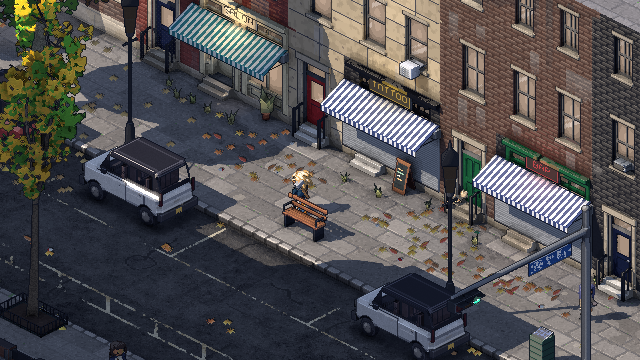 Lock on
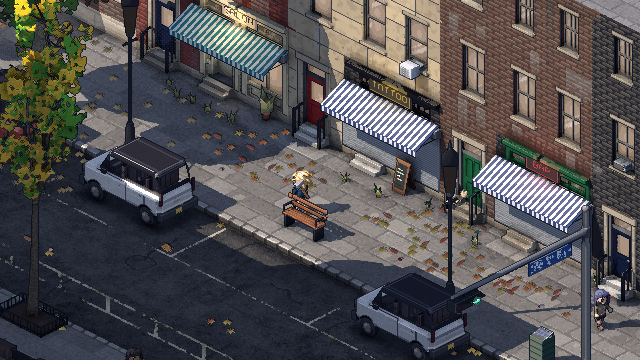 Lock off
Philadelphia Fiefdom is a real 3D city drawn as crisp pixel art. It's rendered in Godot 4 to a small 640x360 canvas through an orthographic camera that only ever sits on whole pixels. The fraction of a pixel it couldn't move gets added back when the picture is scaled up to your screen. The result: you can walk, drive and turn the camera, and every edge stays put.
This is the first of a few posts on how the look works. It's the question I get asked most, and when I went looking, I couldn't find a complete answer for Godot.
What makes 3D pixel art jitter?
If you render 3D at low resolution and scale it up, it looks like pixel art in a screenshot and falls apart the moment anything moves. The camera follows the player smoothly, so from frame to frame it sits a slightly different fraction of a pixel away from the world. Every edge then rounds to a slightly different row of pixels. Roofs shimmer, window frames crawl, and thin lines flicker in and out.
The fix is to stop the camera from ever sitting between pixels.
How do you snap an orthographic camera to the pixel grid?
First the world needs a grid. Everything in Philadelphia Fiefdom is built at 16 texels per meter, and the camera looks down at 30° with the world turned 45°. At that angle one texel's diagonal is exactly one screen pixel across and half a pixel down. That's the classic 2:1 pixel art line, and it falls out of the math rather than being painted on.
Then, every frame, the camera works out where it wants to be in screen pixels, rounds that to a whole pixel, and keeps the remainder for later. This is the actual code, trimmed a little:
# Where the camera wants to be: across and up the view, in canvas pixels.
var t := Vector2(focus.dot(b.x), focus.dot(b.y)) * across
texel_position = t.round()          # the camera sits on a whole pixel
subpixel = t - texel_position       # what's left over, slid back later
var depth := snappedf(focus.dot(b.z), 1.0)
camera.global_transform = Transform3D(b,
		(b.x * texel_position.x + b.y * texel_position.y) / across + b.z * (depth + DISTANCE))
Because the camera is orthographic (opens in a new tab), moving it by one canvas pixel moves every object in the scene by exactly one pixel. Nothing rounds differently from the frame before, so nothing shimmers.
That snappedf(..., 1.0) on the depth line came from a real bug. The camera used to follow the player's exact height. The ground under them has a tenth of a millimeter of floating-point noise, and that noise nudged the camera a few thousandths of a pixel sideways every frame. It was enough to make every handrail, sill and door edge flicker. An orthographic camera draws the same picture at any distance, so snapping its depth to a whole meter costs nothing and fixed it.
What's the sub-pixel slide?
Snapping alone makes the camera move in visible one-pixel jumps. At 640x360 scaled up 6x on a 4K screen, that's a 6-pixel jump. It reads as stutter.
So the leftover fraction isn't thrown away. The canvas is drawn with a 4-pixel margin on every side (648x368), scaled up to your screen by a whole number, and then slid by the leftover fraction in real screen pixels. The world is drawn on the pixel grid, but the finished picture glides smoothly over your screen. The margin hides the edges as it slides.
It's an option ("Smooth camera"), on by default. Turn it off and the picture steps a whole canvas pixel at a time, for anyone who wants it strict.
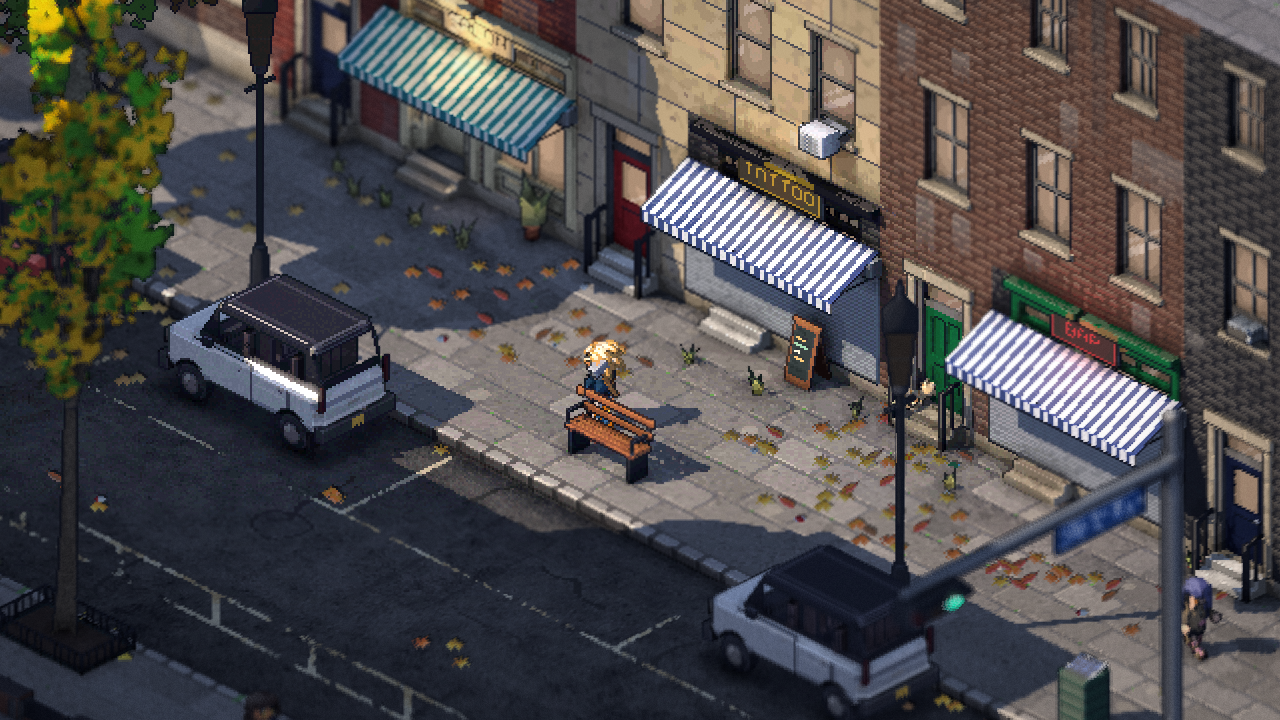 Smooth
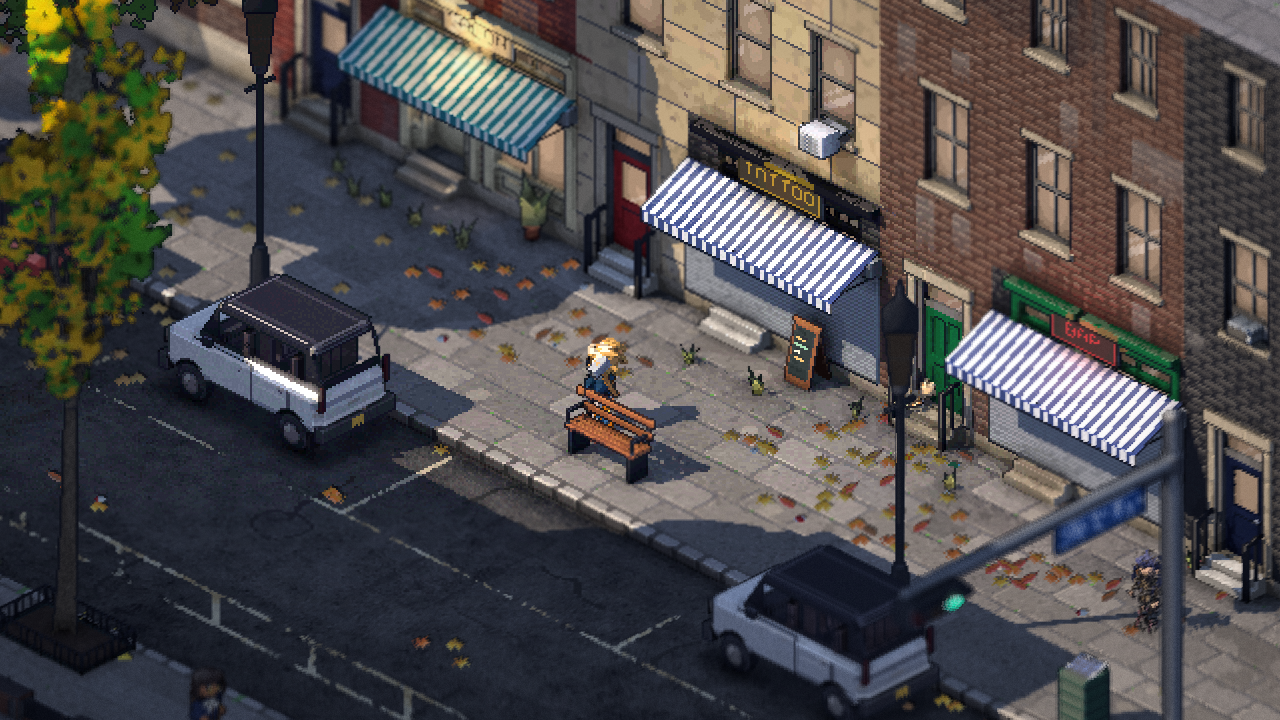 Stepped
If you've watched t3ssel8r's videos (opens in a new tab), this is the same family of tricks. My version is built around a city you can turn all the way round, which is where the next post picks up.
Keeping everything else on the grid
A snapped camera only fixes the camera. Everything else has to stay on the grid too:
- Moving things snap to whole pixels, with a little stickiness. A car or a person only steps to the next pixel once it's 0.15 of a pixel past the halfway line. Without that, something sitting right on a line flickers between two pixels every other frame.
- Heights are authored in whole pixels. A curb, a step or a floor is a whole number of pixels tall, so every face lands on the grid at the 30° view.
- Patterns are laid out in the world, not wrapped onto models. Brick, paving and asphalt are generated from where they are in the world at a density matching the pixel grid. A wall's bricks line up with the next wall's, and nothing repeats.
- Dithered fades are locked to the world. When a building fades out of your way, its dither pattern stays glued to the wall instead of crawling across the screen as the camera moves.
- Animation runs on a 12 fps clock. Swaying trees, flickering flames and water all step together at 12 frames a second, like drawn animation. Rain, snow and splashes run at 24. The camera and anything you control still move every frame, so it never feels sluggish.
- Outlines are one pixel, colored. Every edge where the depth jumps gets a 1-pixel outline on its near side. It's a darker version of the object's own color, pulled toward an ink tone, rather than plain black.
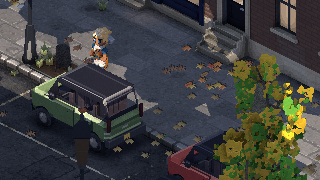 No outlines
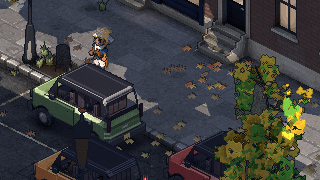 Outlines
What's drawn at full resolution?
Not everything is pixel art on purpose. Once the 640x360 world is finished, a final pass adds a few things at your screen's full resolution:
- a tilt-shift depth of field, so the city reads like a miniature
- a vignette
- a soft lens layer of bloom, halation and fine grain
These sit on top of the pixels and never smear them. The world underneath stays exactly on its grid. This layer is what makes it feel like a camera filming a pixel-art diorama instead of a scaled-up screenshot.
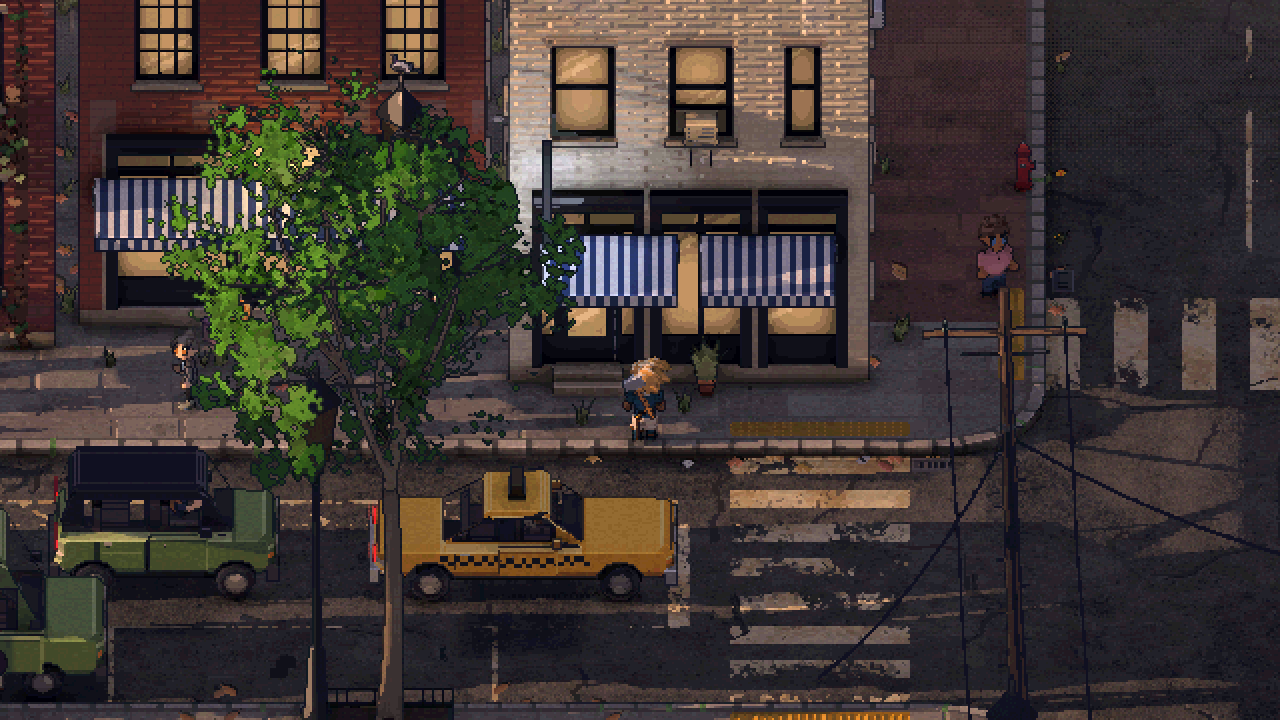 Pixels
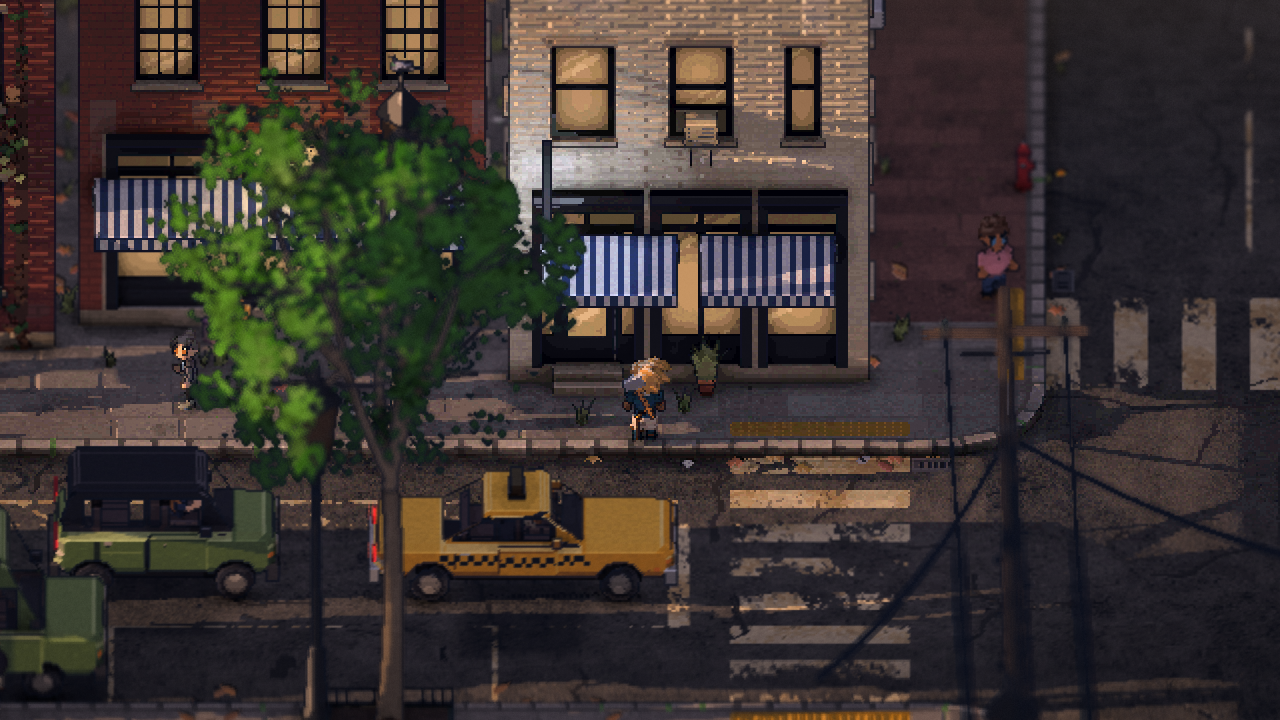 Lens
Quick answers
Is it really 3D? Yes. Every building, car and person is a 3D model. The pixel art comes from how it's rendered, not from sprites.
What engine is it? Godot 4, with my own shaders for the lighting, outlines and patterns.
Does the camera turn? All the way round, and it tilts from overhead down to street level. It started out in 45° steps; why, and what changed when I tried a free spin, is the next post.
Follow along
Philadelphia Fiefdom is an online sandbox set in Philadelphia that you play with friends. It's early, and I'm building it in the open. If you want to play it before it's finished, join the playtest list. Clips go up first on Discord (opens in a new tab).