
One Toon Shader for a Whole Pixel Art City
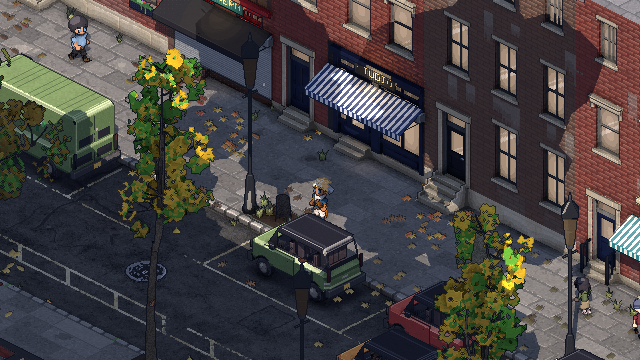 Kept up
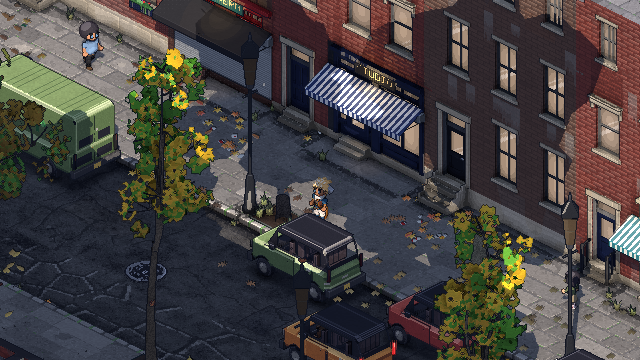 Worn
Almost everything you see in Philadelphia Fiefdom is drawn by one toon shader. Brick walls, asphalt, curbs, pavers, rooftops and car paint are rows in one table on the GPU, not separate materials. The patterns aren't repeating textures: they're generated from where each pixel sits in the world, at the game's 16 texels a meter, so no two walls are the same. And how worn things look is set by the neighborhood they're in.
The first post covered keeping a 3D city on the pixel grid. This one is about what fills the grid.
What is an uber-shader, and why use one?
An uber-shader is one big shader that can draw many different things, picking what to do from its settings. The usual way to build a city in Godot is the opposite: a material for brick, one for asphalt, one for every kind of paint and stone, each its own draw call.
The city has over 700 surfaces. Drawing each separately would mean a draw call for every surface in every chunk of the city. So every surface's settings live in one texture, the surface table: a row per surface, holding its color, roughness, pattern, how worn it gets, whether it's glass, whether it lights up at night. Each vertex of the city's meshes carries its row number, and the shader reads its settings from that row:
#define albedo (texelFetch(surface_table, ivec2(1, surface_row), 0).xyzw)
#define pattern (int((surface_flags >> 3u) & 7u))
#define facade_age (texelFetch(surface_table, ivec2(7, surface_row), 0).x)
Those lines are generated by a tool from the table's layout, so the two can't drift apart. A whole chunk of city draws in a handful of calls, and every material the city can ask for is made when the level loads, so none has to be set up mid-game.
Doesn't one giant shader get slow?
It does, in a specific way. A GPU reserves registers for a shader's heaviest path, even on pixels that never take it. A rare branch, like a wet street's reflection or a burning room, made every pixel in the city pay for it.
So the one shader is compiled into a few drawing classes: the ground, buildings, things that move, small fittings, swaying wires and a couple more. Each class compiles in only what its surfaces can show. The ground gets asphalt, curbs and puddles but no windows. Buildings get windows, neon and awnings but no road paint. Vehicles get paint, dents and lamps.
It's still one shader body and one table. Reorganizing it this way took the Steam Deck's GPU time for the main view from 9.56 ms to 9.08 ms on the densest daytime scene, with the same pixels on screen. More on the Deck in a later post.
How do you draw brick without a repeating texture?
Every wall and street is laid out from its world position, one texel at a time. There are six patterns: brick and tile (with real bonds: Flemish, or common bond with a header course every six rows), cobblestones, concrete slabs with thin blue-purple seams, hand-laid pavers with moss and weeds in the joints, asphalt, and lawn.
Each pattern fills in the same small record for the pixel: its tone, whether it's a joint, which piece it belongs to, how that piece leans, and how rough it is. So each brick is one of four flat tone steps, now and then a sooty one or a chipped corner. Its rim is beveled, so a low sun raking across a wall picks out every brick, and the grout is recessed and matte. The weather reads the same record later: joints are where the water collects.
Because it's all worked out from the world, a wall's bricks carry straight on into the next wall, and a street never repeats.
The ground has one quirk. At the isometric view, a ground texel lands on a 2x1 pixel diamond, and only every other one gets drawn. A single texel is a 2-pixel dash or nothing. So grit and the ragged edges of wear are drawn on a finer grid of 32 cells a meter, where each cell lands on exactly one screen pixel, locked to the world.
What makes asphalt look old?
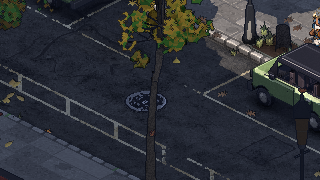
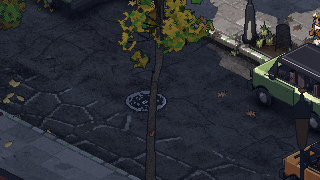
The road is where the layers show most. There's grit catching the light and dark pits between. There's alligator cracking where it's broken up, block cracking elsewhere, and long cracks along stretches of a street. In a kept-up part of the city some of those cracks are sealed with tar, glossier than the road. Oil marks where cars drip, old trench-cut patches, and a crown that falls toward the gutters a few tone steps darker.
Road paint wears on top of all that. It's worn through in the tire tracks, the asphalt's stones poke up through it, dirt is ground in, and the road's cracks run right through the lines.
 Fresh
 Old
How does a building get older?
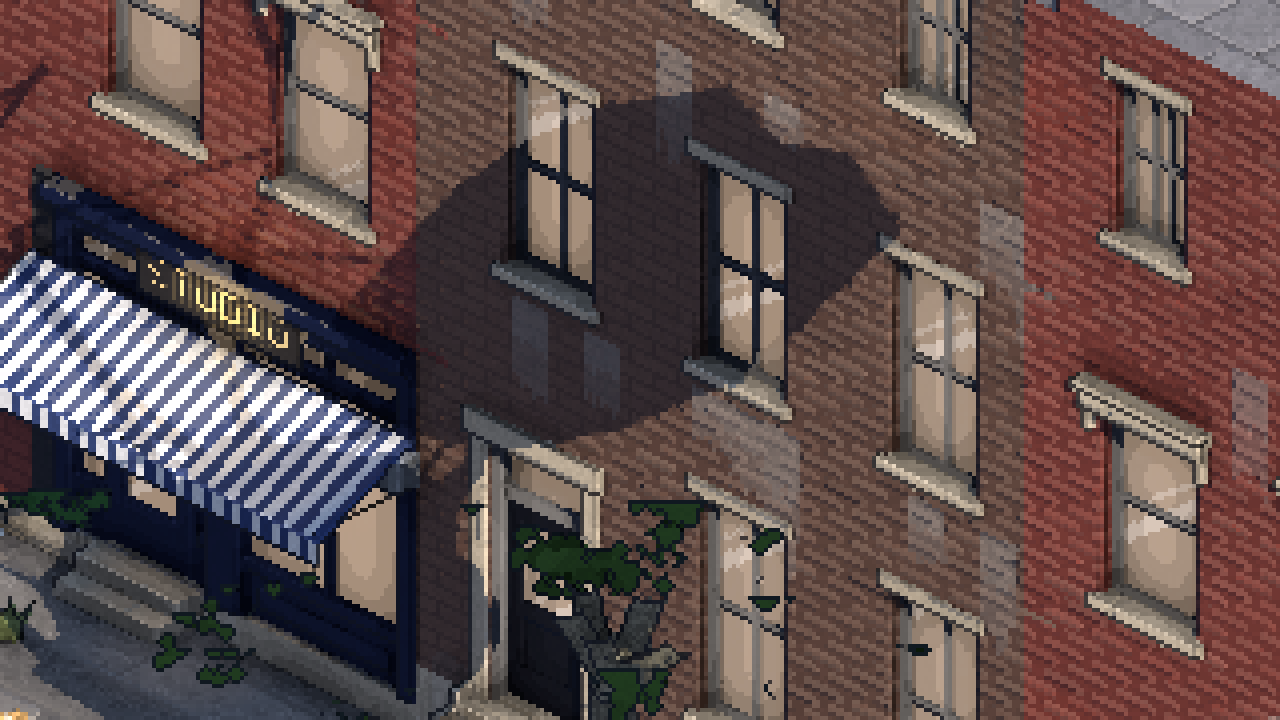
Every building has its own years, worked out per texel: rain streaks hanging from the coping, pale stains under each story's window sills, a sooty band under the parapet, patches of repointed brick, salt bloom near the foot. Each building's brick is a shade warmer, cooler, lighter or darker than its neighbor's.
Flat roofs get the same treatment. Most of Philadelphia's are silver-coated, with some black tar, white membrane and the odd green one, laid in strips with lapped seams, tar patches over the leaks, and rings where water stood.
All of it is in flat steps of tone, never a gradient. A smooth shade gets crushed into blotches once the colors are reduced.
How does wear change by neighborhood?
Each district has two numbers: how much litter lies about, and how worn its ground, walls and paint are, where 1.0 is the city's usual. Right now Society Hill's wear is 0.4 and Rittenhouse's 0.5, while Market East and Chinatown sit at 1.3. The shader reads them from a map of the districts, eased across their edges, so a neighborhood doesn't change at a line on the pavement.
Within a district, each block gets its own share, up to 45% either way. One street's lines look freshly repainted and the next street's are faded, which is how upkeep happens in a real city.
The ground also gathers grime where it does in life: in the gutter beside a curb, at the foot of every wall, around steps, and in the low spots where water stood and dried.
Quick answers
Is it really one shader? One shader body and one surface table, compiled into a few drawing classes that each carry only the features their surfaces use.
Does anything use regular textures? Props modeled in Blender bring their own small pixel textures. Walls, streets, curbs and roofs are generated.
Is the lighting in the same shader? Yes. Light snaps to a few flat levels and highlights come in three steps, so glossy things get a pixel-art glint instead of a smear. That's the post after next.
Follow along
Philadelphia Fiefdom is an online sandbox set in Philadelphia. Last time I covered how I built Center City from open data. Next up is the weather: rain that soaks the streets and snow that settles. Join the playtest list to play it early, or come say hi on Discord (opens in a new tab).