
Walking Into Buildings in a 3D Pixel Art City
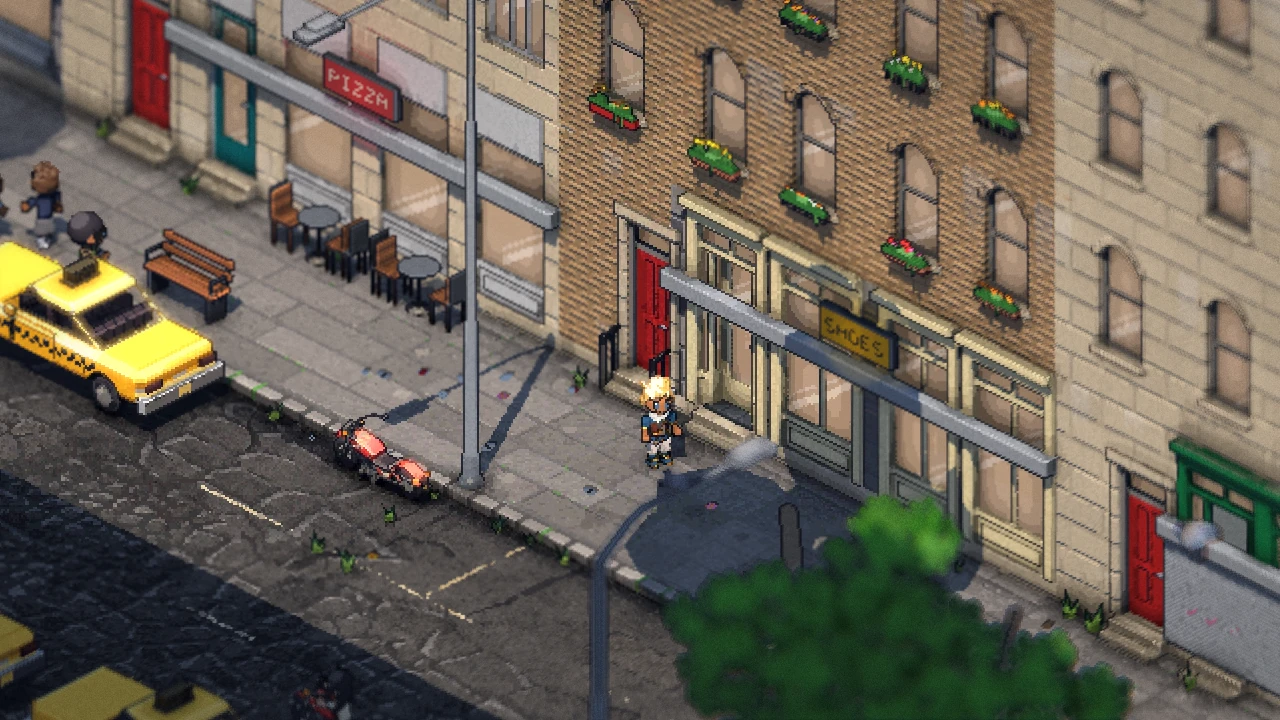
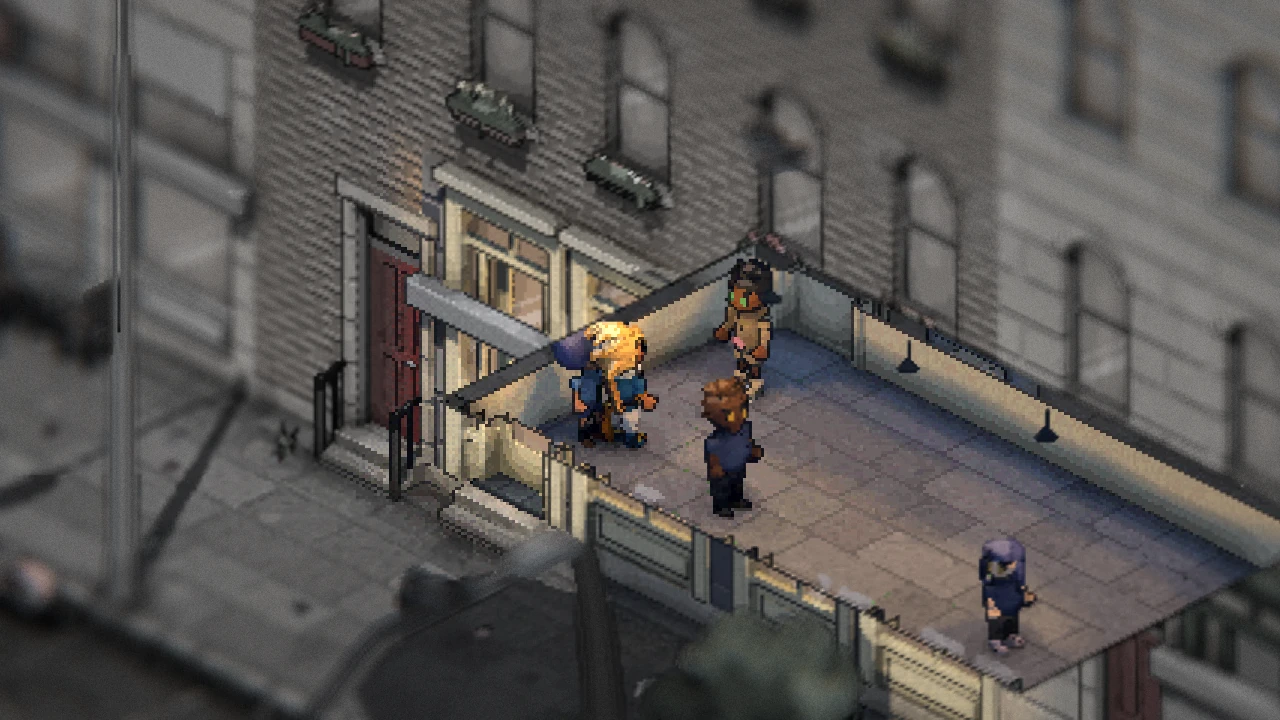
In Philadelphia Fiefdom, when a building is between you and the camera, it's cut away, never faded or made see-through. When you walk into a building, it opens up to show just the room you're in, while the street outside dims, grays and blurs. Cuts sweep down and back up instead of popping, and the cut edge follows the street, so a row of houses goes down together.
Last time I wrote about the life on the street. This one's about getting off it.
Why cut buildings instead of fading them?
Any game that looks down on a city has the same problem. Walk behind a row of rowhomes and you're gone. The usual fixes are fading the building, making it see-through, or punching a circle through it round the player.
I tried versions of all of those. For a while there was a layer that faded whatever hid you and laid it over the picture as a soft ghost. It didn't work. Half-transparent brick over a pixel-art street is mush, and you can never tell what's in front of what. A circle cut round the player, with a look-ahead, didn't work either: it chewed shapes out of buildings that had nothing to do with where you were going.
So now there's one rule. Anything that hides you is cut off at a height, a stub of its walls left standing. Above the cut it's simply not drawn. Its shadow stays on the street, so the light doesn't change.
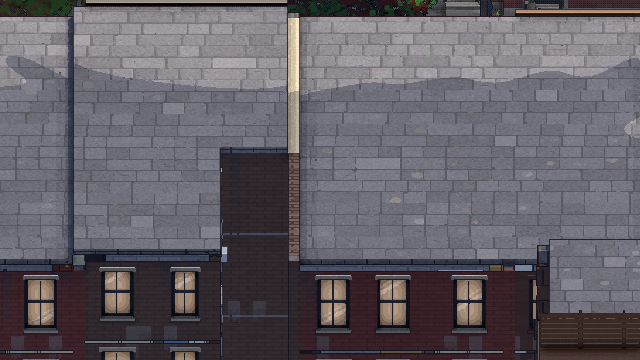 Cutaway off
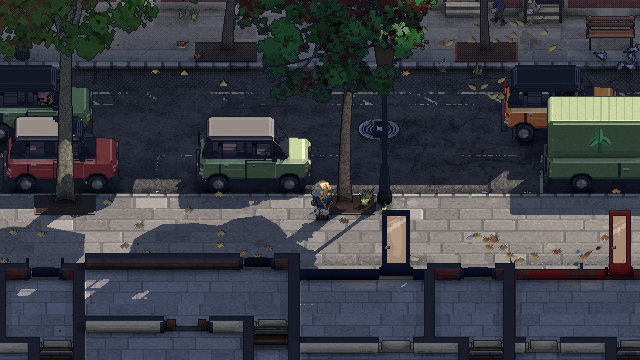 Cutaway on
How does it decide what to cut?
- Lines of sight from your body. Nine rays run from you toward the camera, from your feet, middle and head, each from your center and either side of you. There's no circle. Only what a ray actually passes through counts.
- Whole blocks, cut to the street. When a building hides you, it goes with its block, the buildings inside that block's curb. So the edge of the cut is the street, and a row never goes house by house, leaving a jagged hole. Only the block's buildings that reach out in front of you toward the camera go. A building wholly behind you is never cut, since that's just the facade you're standing in front of.
- Trees too. A tree in the way is cut only above where your line of sight enters its crown, so its trunk and most of its crown stay. (More on the trees in the trees post.)
- Ahead of you when you drive. In a car, the game also looks from where you'll be a moment from now. The next block is cut before you reach it, so you can see what's coming round the corner instead of driving blind into it.
How does the cut move?
It sweeps. When a block is hit, every building in it slides down from just above its own top to its own stub in half a second, quick at first and landing softly, so a tall building and the rowhomes beside it land together. It stays down for a moment after the last ray stops hitting it, so a ray grazing an edge never makes it flicker, then rises back up a little more slowly. The cut height snaps to the same pixel grid as everything else, so the edge moves a pixel at a time.
The cut is decided twelve times a second and swept every frame. When you turn the camera in steps, it's decided again the instant the turn starts and sweeps faster, so the cut lands with the turn instead of leaving the new view's block standing over you.
What happens when you walk in?
The building you're in is the one whose ground floor you're standing on, or whose doorstep you're on. As you step in:
- The building sweeps down over most of a second. It's only cut where it hides your room, so its back walls stay standing.
- Only your room shows. If you're in one of its shops or flats, that room is the place. Its fittings and lamps are drawn, and nothing else inside the building is.
- The street steps back. Everything outside your room dims and grays, in a few dithered steps from its walls. With depth of field on, which it is by default, the street also blurs, more the farther it is from your room.
- The light comes in with you. The room is revealed from the door you came in by, spreading out to its far corners in a few steps.
- The picture steps in closer. The view glides up to the next whole-number pixel scale, about a third bigger, so a room reads like its own little scene. Every pixel stays square. They just get bigger.
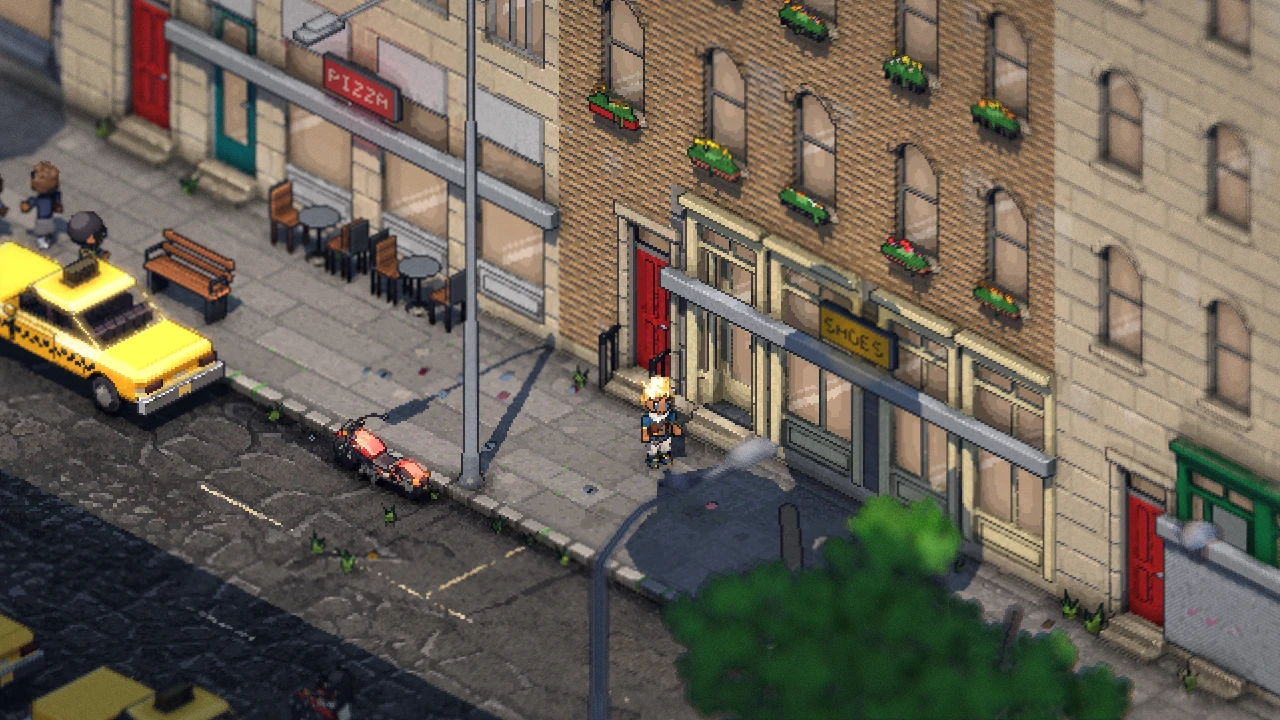 Outside
 Inside
Walk out and it all runs backward: the zoom eases out, the street comes back into color, and the building rises from its stubs.
The people drawn change too. Nobody inside a building you're not in is drawn, unless they're leaning out of a window. In the building you're in, only the people in your room show.
What can you walk into?
Shops, both the big ones and the shopfronts in the bottom of rowhomes, and your own flat, which is where a new game starts. In a shop with someone at the counter, press Y to buy. Food heals you. A boutique or thrift store changes your clothes, and a barber or salon your hair.
Underground works the same way. In a subway station, the buildings over it are cut away whole, and the street over the station is lifted off so you can see down into it.
What's still rough?
With the new free camera, tilting the view can make a building's cut jump instead of sweeping. I'll smooth that out next. I also want to walk the whole city, block by block, to watch every cut in motion while walking and driving at both the diagonal and the straight-on views.
Quick answers
Do buildings fade when they're in the way? No. They're cut down to a stub of wall, and their shadow stays.
Can you go upstairs? Not yet. You can see into the upstairs rooms through the windows from the street, but for now the rooms you walk into are at street level.
Does it work in a car? Yes, and it looks ahead of you, so the next block is out of your way before you get there.
Follow along
Philadelphia Fiefdom is an online sandbox set in Philadelphia. Last time was the life on the street. Next I'll get into what happens to those rowhome walls when you take a sledgehammer to them. Join the playtest list to play it early, or come say hi on Discord (opens in a new tab).